If you're staring at a floor plan, a lease deadline, and a room full of desks, monitors, cables, and old file cabinets, the biggest mistake is treating it like a hauling job. A business office cleanout service is really three projects happening at once. You’re clearing space, protecting data, and deciding which assets still have value.
That’s why cleanouts go sideways so often. Facilities teams focus on access and timing. IT focuses on devices. Finance wants cost control. Legal cares about disposal records only after someone asks for them. A cleanout runs well when one operating plan ties those concerns together before the first item leaves the site.
Phase One Scoping Your Project and Creating an Inventory
Most failed cleanouts start with a vague instruction like “remove everything by Friday.” That’s not a scope. It’s a recipe for lost assets, surprise invoices, and missing documentation.
Start with three pillars:
- IT assets such as laptops, desktops, servers, switches, access points, phones, drives, and printers.
- Furniture and fixtures such as cubicles, conference tables, shelving, breakroom equipment, and wall-mounted items.
- Waste and low-value material such as broken chairs, packaging, whiteboards, obsolete peripherals, and general debris.

Build one master inventory
Use a spreadsheet or asset tool, but keep the output simple enough that facilities, procurement, and IT can all read it. Each line item should answer five questions:
- What is it
- Where is it
- Who owns the decision
- What happens to it next
- What proof will be required
For IT, list manufacturer, model, serial number, asset tag, and whether the device contains data. For furniture, record quantity, condition, floor location, and any building removal constraints. For waste, group by category so your vendor can quote correctly instead of padding for uncertainty.
Tag assets by destination
The fastest way to lose value is to mix everything together. Tag each item or batch with a disposition path:
- Redeploy: Good equipment moving to another office or department
- Resell: Devices with remaining market value
- Recycle: End-of-life electronics that still require compliant processing
- Dispose: Broken furniture or nonrecoverable material
- Destroy: Data-bearing devices or branded items requiring documented destruction
That single decision point drives labor, packing, trucking, and paperwork. It also keeps an office cleanout service from throwing resale-grade equipment into a scrap stream.
Practical rule: If a device stores data, don't let it enter the same workflow as furniture until its destruction method is approved.
Walk the site before you schedule labor
A floor plan never tells the whole story. Check elevators, loading docks, freight hours, badging requirements, parking, hallway protection rules, and whether the building requires certificates of insurance before work starts. Many teams also use an external relocation planning aid like this comprehensive office moving checklist to catch handoff issues between moving, decommissioning, and disposal.
A good inventory also connects to the broader IT asset lifecycle management process. Cleanout decisions shouldn’t be made as if assets appeared out of nowhere on move-out day. Devices have ownership, depreciation, support status, and data risk long before they become surplus.
What works and what doesn't
What works is a room-by-room inventory with clear ownership. What fails is assigning one person to “walk around and count stuff.” You need operations detail, not rough estimates.
Use a short pre-project checklist:
- Room validation: Confirm every office, closet, lab, and storage area is included
- Decision ownership: Name IT, facilities, and finance approvers
- Disposition coding: Assign each item stream before pickup day
- Documentation list: Define which items require serial capture, certificates, or sign-off
- Final condition standard: Decide what “broom clean” or lease-compliant means
A cleanout becomes manageable once the inventory becomes the single source of truth.
Navigating Secure Data Destruction Requirements
Move-out week is where data control often breaks down. A facilities team is focused on clearing rooms, a mover is working the dock, and surplus devices start collecting in corners because no one wants to hold up the schedule. That is how laptops disappear from the manifest, copiers leave with drives still installed, and a routine office cleanout turns into a security incident.
The highest-risk item in this phase usually is not the biggest one. It is the overlooked hard drive in a desk pedestal, the retired multifunction printer in a back hallway, or the stack of employee returns waiting for a final decision. During a cleanout, anything with storage needs a defined destruction path before it leaves the site.
On-site or off-site is a business decision
Both approaches can work if the controls are real and documented. The right choice depends on your data classification, witness requirements, building access, and whether the assets still have resale potential.
| Method | Best fit | Trade-off |
|---|---|---|
| On-site shredding | Regulated environments, executive sign-off, immediate witness requirement | More coordination, more floor space, tighter dock scheduling |
| Off-site destruction | High volumes, centralized processing, easier truck loading | Requires disciplined chain-of-custody from pickup through final processing |
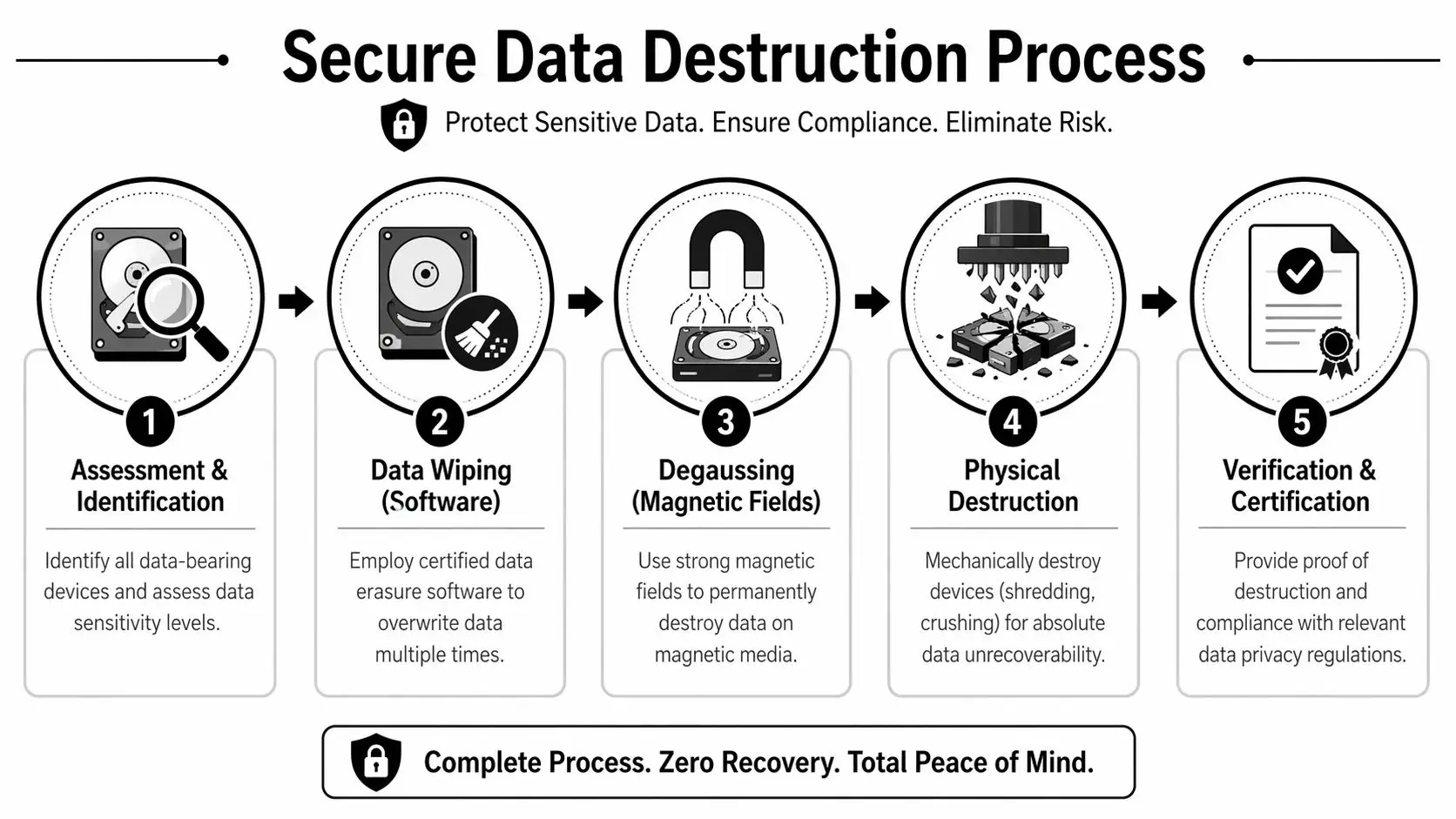
| Certified wiping | Reuse, redeployment, or resale candidates | Only works when the media passes testing and policy allows sanitization instead of destruction |
If a device still has market value, wiping is usually worth examining first. If the media is damaged, encrypted without recoverable keys, or outside policy for reuse, physical destruction is the cleaner option. Good project teams decide that before pickup day, not while a truck is waiting downstairs.
Chain of custody has to hold up under audit
Many vendors will promise a certificate. The stronger question is whether they can show the full path from your office to final processing with no gaps.
At minimum, require:
- Serialized intake records: For laptops, desktops, servers, loose drives, phones, and network equipment
- Documented custody transfers: Site contact, driver release, warehouse intake, and processing handoff
- Approved sanitization method: Wipe, shred, degauss, or another method your policy accepts
- Final reporting: A destruction certificate or erasure report that ties back to the collected assets
For regulated data, use a standard your legal, security, and audit teams can recognize. NIST SP 800-88 media sanitization guidance gives you a defensible basis for deciding when to clear, purge, or physically destroy media.
A certificate without supporting custody records does not solve much.
Where cleanouts usually break
The primary server room rarely causes the problem. Those assets are visible, owned, and usually covered by an IT runbook. The misses show up in side areas, mixed-use devices, and exceptions that fall between teams.
Pay close attention to these categories:
- Printers and copiers: Many contain internal drives and often get treated like ordinary equipment
- Conference room systems: Mini PCs, codecs, touch panels, and collaboration bars are easy to miss
- Network closets: Old firewalls, switches, and access points stay behind after cutovers
- Executive offices and remote employee returns: Exceptions create handling gaps and weak documentation
- Loose media: Backup tapes, spare SSDs, USB devices, and retired phones move fast and disappear easily
I have seen well-run moves stumble on one banker box of loose drives because no one assigned ownership for it. That is the pattern to prevent. Secure cleanouts work when every data-bearing asset follows a named process, with a named handler, and a final record that matches what left the floor.
If a vendor cannot explain the exact destruction path for a drive, provide sample reporting, or capture serialized pickups reliably, the risk shifts to your company the moment the truck door closes.
Managing E-Waste and Ensuring Environmental Compliance
After data is handled, the next liability is downstream disposal. Many companies assume recycling is recycling. It isn’t. The difference between responsible processing and opaque disposal shows up later, usually when procurement, legal, or sustainability teams ask for records.
When businesses select enterprise providers, they prioritize speed, reliability, and environmental compliance. In healthcare and finance, documented handling protocols and auditable chain-of-custody for IT assets are treated as essential requirements (Junk Begone Denver on office cleanout strategy).
What environmental compliance looks like in practice
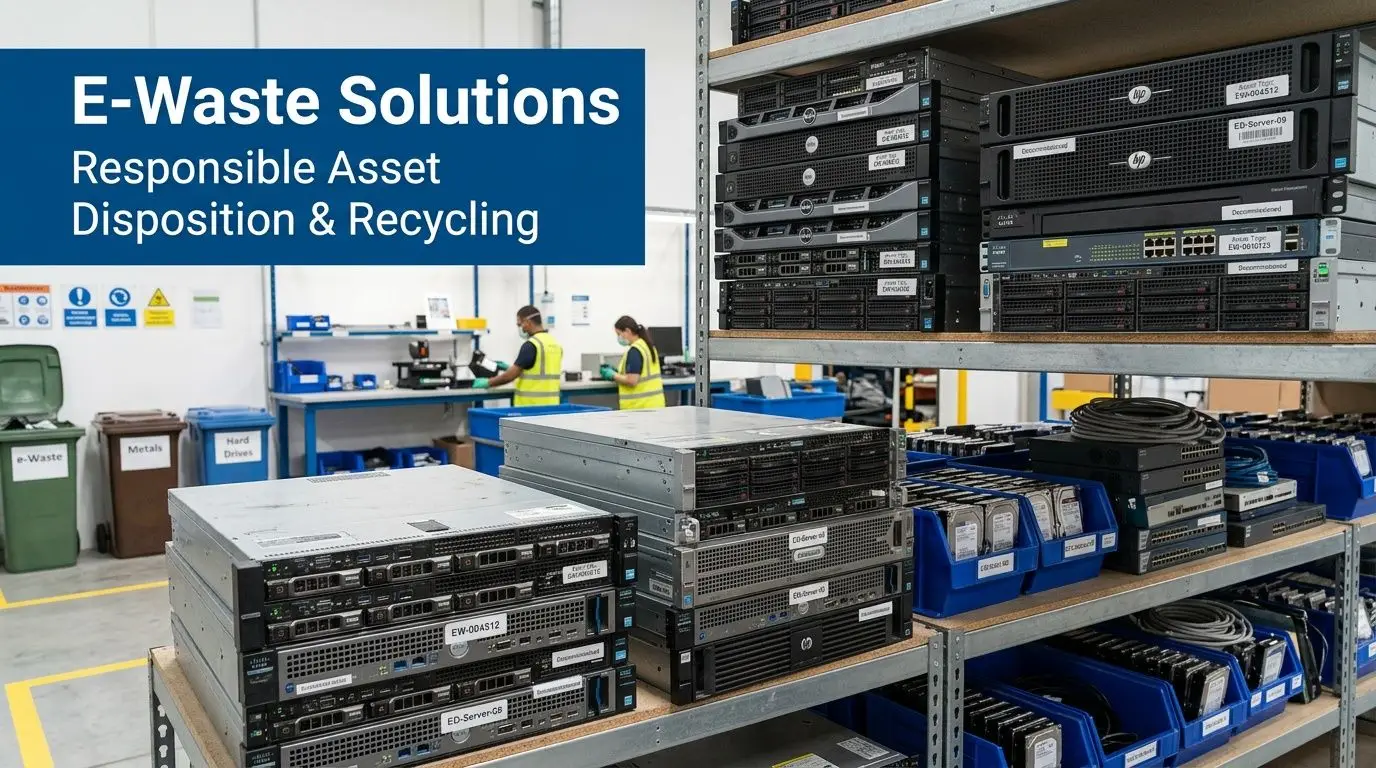
A compliant office cleanout service should be able to answer simple operational questions without hesitation. Where do downstream materials go. Which items are reused, dismantled, or recycled. What documentation will the client receive.
That’s where documented standards matter more than sales language. Your provider should have a repeatable process for sorting, packing, transporting, and processing electronics, not a promise that they “keep things out of landfills.”
Documents you should expect
Ask for records before the job starts, not after pickup. The right documents usually include:
- Certificate of recycling: Confirms electronics entered an authorized recycling stream
- Chain-of-custody records: Shows movement and control of collected assets
- Data destruction documentation: Needed for any data-bearing item processed under destruction instructions
- Itemized reporting: Helpful for internal asset retirement, audit support, and sustainability reporting
For companies managing batteries, lamps, or other regulated streams alongside electronics, it also helps to understand master universal waste requirements. Mixed cleanouts often fail because one project includes several waste categories with different handling rules.
The real trade-off
The cheapest quote often assumes the least accountability. That may still be acceptable for non-sensitive furniture and general debris. It’s a poor fit for decommissioned IT, medical devices, lab electronics, or anything tied to records retention and privacy obligations.
Buyer note: Environmental compliance isn't a branding exercise. It's evidence that your company won't inherit someone else's disposal shortcut.
A strong provider also separates materials by likely outcome. Reuse-grade assets should not be crushed. Hazardous or regulated material should not be bundled with commodity scrap. Mixed loading saves labor in the moment and creates confusion later when you need proof of what happened.
Keep sustainability tied to operations
Sustainability goals only count if the operating process supports them. That means clear segregation, traceable transport, and documented final disposition. If your office cleanout service can’t show that chain, your ESG narrative rests on assumption.
For enterprise projects, environmental compliance is less about slogans and more about audit readiness.
Unlocking Value Through IT Asset Recovery and Buyback
A lot of office cleanouts get budgeted as pure expense because the planning starts too late. By the time anyone asks what the retired laptops, servers, or network switches are worth, they’ve already been palletized as scrap.
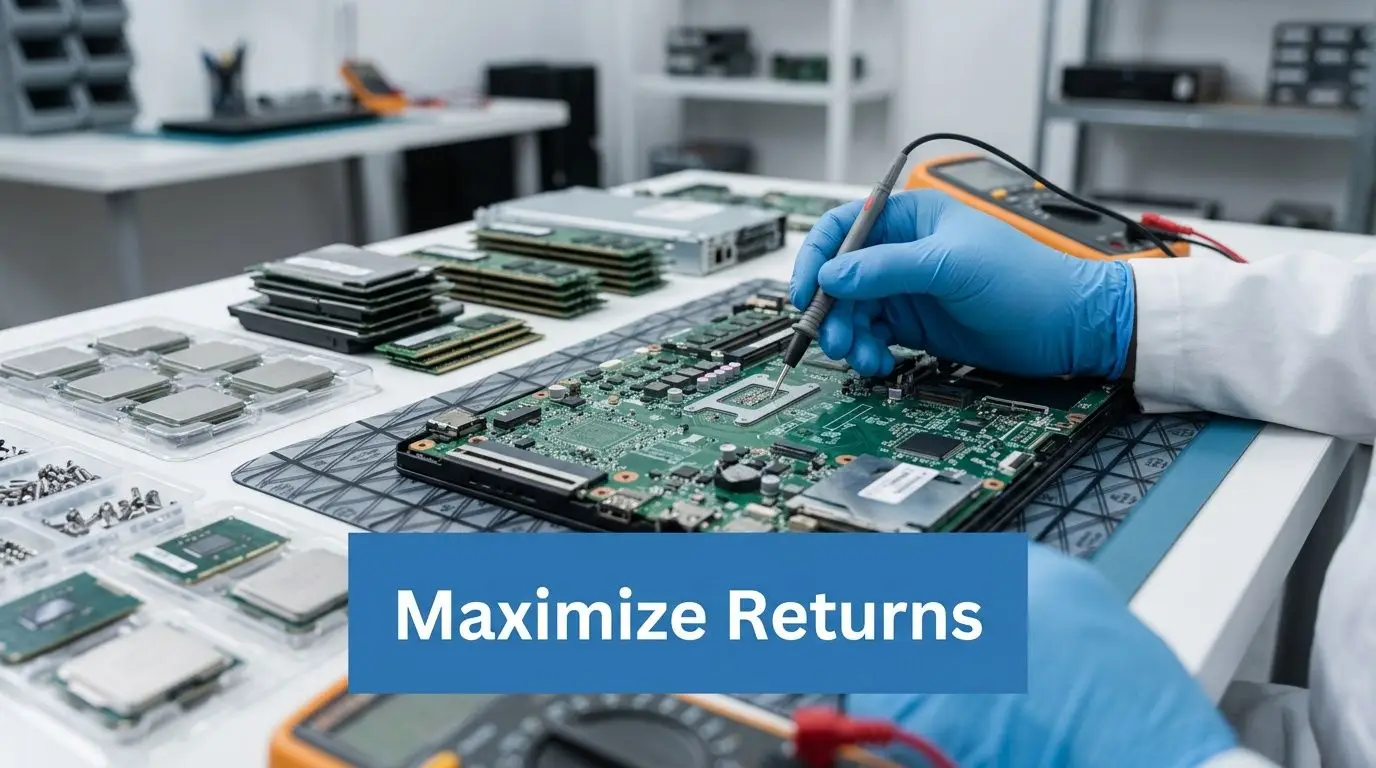
That leaves money on the floor. A 2025 Deloitte study found 60% of firms recover 20-30% of their initial investment from IT disposals, and strategic ITAD programs with buyback can reduce the net cost of an office cleanout by over 25% (American Junk Removal office cleanout services).
Which assets usually hold value
Not every device deserves testing and remarketing. Some are obsolete, damaged, or too costly to process. Others still carry recoverable value if handled correctly.
Common candidates include:
- Business laptops and desktops: Especially standardized fleets with intact specs
- Servers: Enterprise hardware often retains value even after refresh cycles
- Networking gear: Switches, firewalls, and access points can be remarketed if current enough
- Mobile devices: Phones and tablets can recover value if activation and wipe status are clean
- Specialty equipment: Some lab and commercial electronics hold niche resale demand
The office cleanout service should separate these items at pickup, not after they’ve been mixed into a general load.
How buyback really works
A serious buyback process usually follows a sequence. Devices are identified, tested, graded, sanitized, and then routed either to remarketing or recycling. Small mistakes at intake can erase value fast.
Here’s where teams often slip:
- Missing power supplies and caddies: Resale value drops when kits are incomplete
- No serial capture: Finance and asset management can’t reconcile what was recovered
- Late data decisions: Devices sit untouched because nobody approved wipe or shred instructions
- Rough handling during removal: Cosmetic damage matters for secondary market resale
Recovering value isn't about optimistic pricing. It's about preserving condition, verifying specs, and moving assets through testing before they become obsolete.
Connect disposal cost to asset value
This is the strategic shift most companies miss. Cleanout labor, trucking, and recycling all cost money. Asset recovery can offset part of that spend, but only if the provider is set up to evaluate equipment individually instead of charging one flat hauling fee for everything.
For Georgia-based organizations, a service such as IT asset recovery shows what that looks like in practice. Equipment is triaged for resale, reuse, or recycling so the cleanout budget reflects net cost rather than gross removal cost.
A junk hauler sees surplus gear as weight. An ITAD team sees a mix of risk, recoverable value, and compliant recycling streams. That difference changes the economics of the project.
Planning Project Logistics Timelines and Budgets
Execution gets easier when the timeline follows the inventory instead of guessing at volume. The job should move in phases, not in one all-purpose pickup window that tries to do everything at once.
Industry cost ranges help frame expectations. Office junk removal and cleanout services typically run $150 to $1,200+, with $300 to $600 for small offices, $600 to $900 for medium offices, and $900 to $1,200+ for full move-outs. Time scales as well, from 1-2 hours for a small office to 6-10 hours for a complete corporate move-out (Statista commercial cleaning services overview).
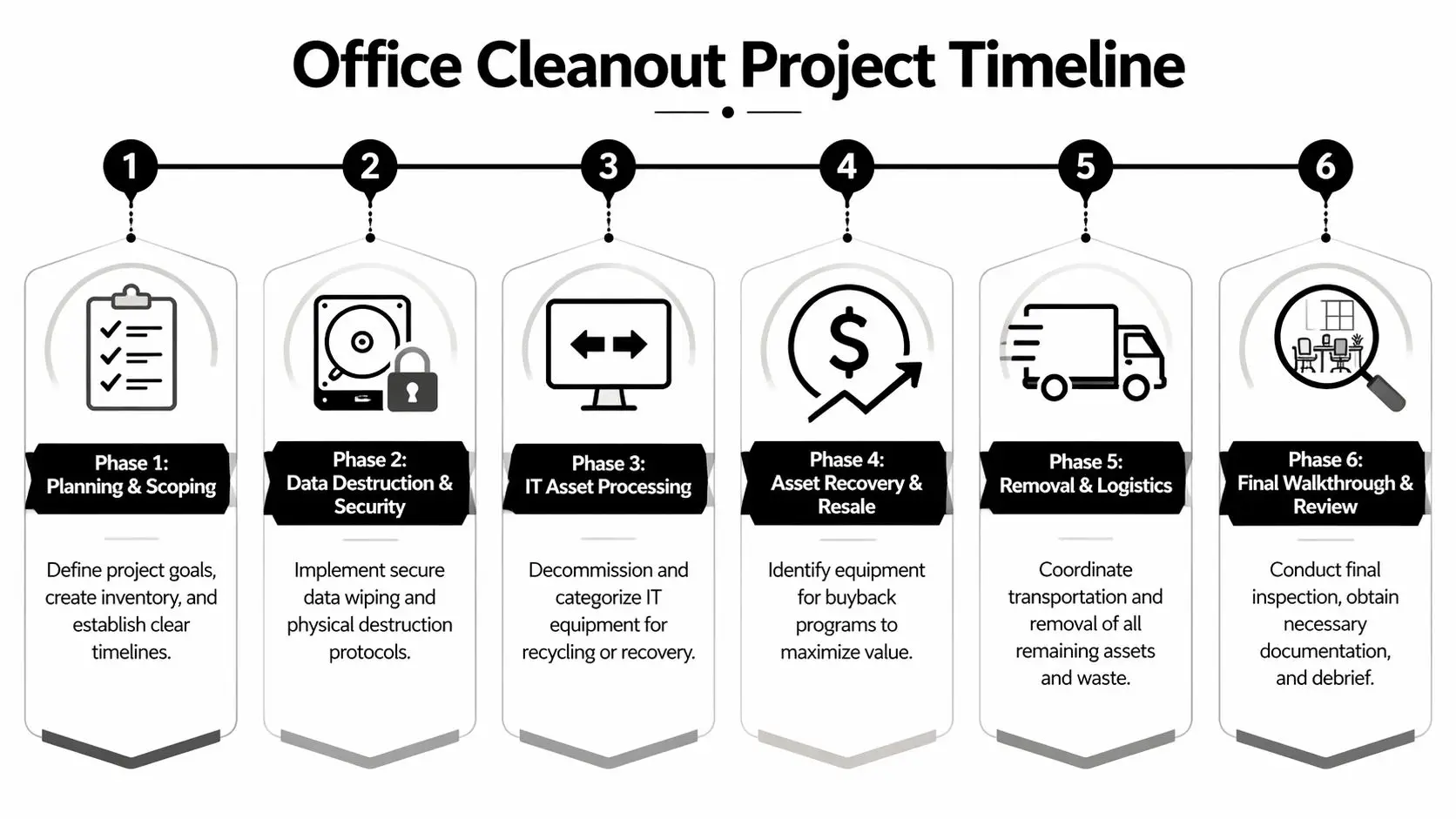
Build the timeline in phases
A cleanout calendar usually works better when each phase has a separate approval point.
Planning and access approval
Confirm inventory, building rules, insurance documents, and pickup windows.Data-bearing asset control
Segregate devices, capture serials, and run wipe or shred workflows.Recovery processing
Pull resale candidates before general removal starts.Furniture and non-IT removal
Remove bulk items after sensitive assets are already controlled.Final sweep and client sign-off
Walk the site, note exceptions, and close documentation.
That order matters. If you start with bulk hauling, smaller IT assets tend to disappear into the wrong stream.
What should be in the budget
A quote for office cleanout service should break out the cost drivers clearly. If it doesn’t, you’ll struggle to compare vendors.
Look for these line items:
- Labor and loading: Crew size, access conditions, stairs, elevators, after-hours work
- Transportation: Number of trucks, route complexity, multi-site coordination
- Data destruction: Shredding, wiping, serialized reporting, certificates
- Electronics processing: Special handling for servers, batteries, and regulated material
- Disposal fees: Especially for items with higher downstream processing costs
- Final closeout: Walkthrough, sign-off, and documentation package
Red flags in contracts
Some contracts look inexpensive because they shift uncertainty back to the client. Read the assumptions section closely.
| Contract issue | Why it matters |
|---|---|
| Hourly-only pricing | Encourages slow work and creates invoice drift |
| No item exclusions listed | Specialized materials become surprise charges |
| No documentation schedule | You may not get certificates in time for audits |
| Vague “recycling included” wording | Doesn't define chain-of-custody or downstream handling |
A realistic budget also leaves room for exceptions. Most offices have a back room, closet, or under-desk device that wasn’t on the first list. Good planning absorbs that without derailing the project.
How to Choose the Right Office Cleanout Partner
The easiest way to compare vendors is to stop asking “Can you remove everything?” Almost anyone will say yes. Ask instead how they control risk, document work, and recover value.
There’s a real difference between a generic hauler and an ITAD-capable office cleanout service. Top-tier cleanout providers aim for a customer callback rate below 2% and Google review scores above 4.8 stars, and they often use flat-rate pricing per item rather than hourly billing while targeting gross profit margins of 50-65% after labor and disposal costs (Jim’s guide to cleanout business operations). Those benchmarks are useful because they point to process maturity, not just marketing.
Use this buyer checklist
Ask every provider these questions:
- Data security: How do you identify all data-bearing devices before removal?
- Custody controls: Can you show a sample chain-of-custody record?
- Destruction proof: What does your certificate include?
- Environmental handling: What documentation do you provide for recycling?
- Value recovery: Which assets do you test for resale instead of scrapping?
- Pricing model: Is pricing flat-rate, itemized, or hourly?
- Closeout quality: Do you perform a final walkthrough with a signed completion form?
For internal teams formalizing procurement, this vendor due diligence checklist is a practical starting point.
Compare the operating model, not just the truck
A hauler is usually optimized for volume removal. That can be fine for broken desks and general debris. It’s weak for mixed loads that include drives, phones, servers, copiers, and reusable equipment.
An ITAD-oriented partner should be able to do three things in one engagement:
- Protect data
- Document compliance
- Recover value where possible
If the vendor’s process starts and ends with “we load it and take it away,” you're not buying a cleanout plan. You're buying a truck.
The best choice is usually the one that can explain exceptions clearly. Ask what happens to loose hard drives, locked cabinets, unsupported equipment, and mixed pallets discovered on pickup day. Competence shows up in those answers.
Frequently Asked Questions About Office Cleanouts
Can one provider handle IT assets and office furniture
Yes, but only if the provider runs separate workflows inside the same project. Furniture removal, data destruction, electronics recycling, and asset recovery should not be treated as one undifferentiated load. Ask how they separate, label, and document each stream.
How is a small office different from a multi-location enterprise cleanout
The principles are the same. The difference is coordination. A small office usually needs one inventory, one pickup plan, and one sign-off. A multi-location project needs standardized labeling, shared reporting, transportation scheduling, and a central contact who can approve exceptions quickly.
What is the first step if I want an accurate quote
Start with a site list and a draft inventory. Include the address, floors involved, elevator or loading details, types of IT assets, furniture volume, and any data destruction requirements. Photos help. A vague request gets a padded estimate. A detailed request gets a cleaner scope and fewer surprises.
Contact Beyond Surplus for certified electronics recycling and secure IT asset disposal support for your next business office cleanout.